A B2B customer portal your trade buyers can use on their own
A self-service portal where your customers log in to check live stock, see their prices, place orders and follow deliveries, so your team spends less time answering the same questions by phone and email.
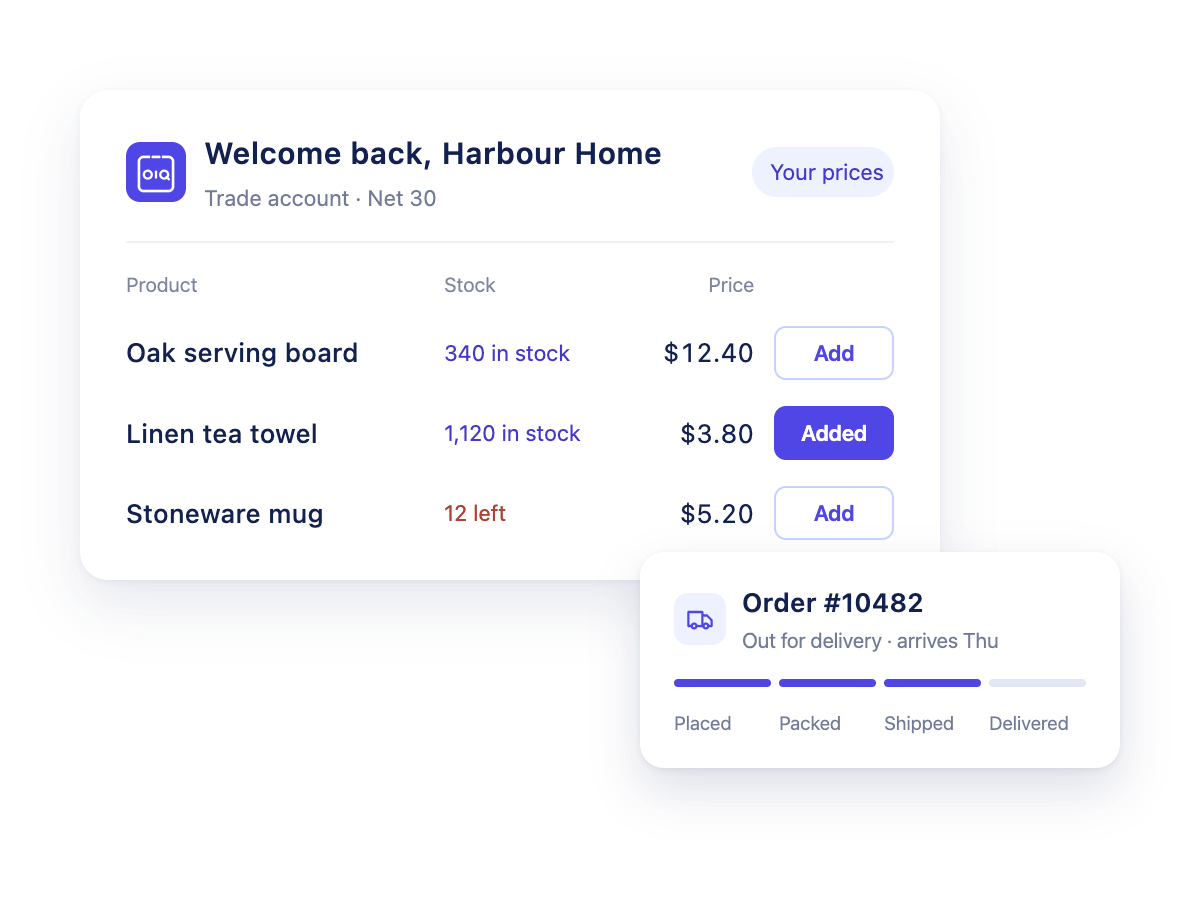
Track their orders
Add tracking details to any order, and your customer follows it from their own account.
Check live stock
Buyers see what’s actually available before they order, from the same data you keep in your own systems.
Order at any hour
Trade buyers place orders whenever suits them, with their own prices and terms.
What is a B2B customer portal?
A B2B customer portal is a private, logged-in website where a supplier’s business customers serve themselves. Each customer sees their own catalogue, prices and account, and can place orders, check stock, follow deliveries and find their invoices without contacting the supplier.
It’s the self-service side of B2B ordering. Distributors, wholesalers and brands use one to cut the phone calls and emails that come with every trade account.
- A reseller reordersrepeats last month’s order from their phone in a few clicks
- A dealer checks stocksees what’s available at their price before quoting their own customer
- A buyer’s accounts teamdownloads invoices and the latest statement without emailing you
- A store managerfollows a delivery from their account instead of calling to ask
What your buyers can do in their account
See their own catalogue
Only the products and ranges you’ve chosen to sell to that account.
See their own prices
Dynamic pricing rules apply their customer, group and quantity prices automatically.
Check live stock
Availability comes from your own systems, so buyers order what you actually have.
Order and reorder
Place new orders or repeat a previous one in a few clicks, with your order rules applied.
Track deliveries
Follow every order once you add tracking details.
Find invoices & statements
Download invoices and account statements whenever they need them.
Add colleagues
Several users can order on the same account, prices and terms.
Use it on mobile
Browse, order and track from a phone or tablet.
Fewer “where’s my order?” calls
When buyers can answer their own questions about stock and deliveries, your sales and customer service team gets time back for the conversations that need them. And with orders placed through the portal, there are fewer phoned or emailed orders to re-key.
- Customer servicefewer stock and order-status questions
- Sales repsorder for customers with their prices applied
- Order processingno re-keying of phoned or emailed orders
- Accounts teamfewer requests for copy invoices and statements
- Account managersa built-in CRM for every trade account (Scale plan)
Customer portal vs ordering portal vs B2B ecommerce site
| B2B ecommerce site | B2B ordering portal | B2B customer portal | |
|---|---|---|---|
| Main job | Win new business buyers | Take repeat orders from trade accounts | Let trade accounts serve themselves |
| Who logs in | Often open to anyone | Approved accounts | Approved accounts and their colleagues |
| Prices | Often one price list | Each customer’s prices | Each customer’s prices |
| After the order | Confirmation email | Order sent to you | Tracking, invoices and statements |
OrderfrontIQ covers the ordering portal and the customer portal in one product. See the B2B ordering portal →
B2B customer portal questions
- What is a B2B customer portal?
- A self-service website where your business customers log in to their own account: live stock, their prices and terms, their orders and delivery tracking. It’s sometimes called a customer ecommerce portal or a customer order portal.
- How is a B2B customer portal different from a B2B ecommerce portal?
- A B2B ecommerce portal is mainly about placing orders. A B2B customer portal adds the self-service side, such as order tracking, so buyers don’t need to call you. OrderfrontIQ does both.
- Can wholesale customers use it?
- Yes. It works as a wholesale customer portal: only the trade accounts you approve can log in, and each one sees the prices and terms you’ve agreed with them.
- Can customers see their invoices and statements?
- Yes. Buyers can find and download their invoices and account statements from their own account.
- Can more than one person use the same customer account?
- Yes. A customer can have several users, all ordering on the same account, prices and terms.
- Does the customer portal work on mobile?
- Yes. Buyers can browse, order, reorder and track deliveries from a phone or tablet.
- How long does it take to set up a B2B customer portal?
- With OrderfrontIQ, most distributors are live in under two weeks. Onboarding is included and our team sets up your data connections.
More about the portal
OrderfrontIQ is our B2B ordering portal for distributors and wholesalers.
- B2B ordering portalThe main page: features, integrations, pricing and FAQ
- Wholesale inventory feedsShare your stock with retailers as a live feed
- Trade pricingStarter, Growth and Scale plans
See OrderfrontIQ in action
We’ll walk you through the portal and how it connects to the systems you already use. Onboarding is included, and our team sets up your data connections for you.
Tell us about your business and we’ll get back to you to book a demo.